How do I change something on my website?
Updated October 22, 2026
The short answer
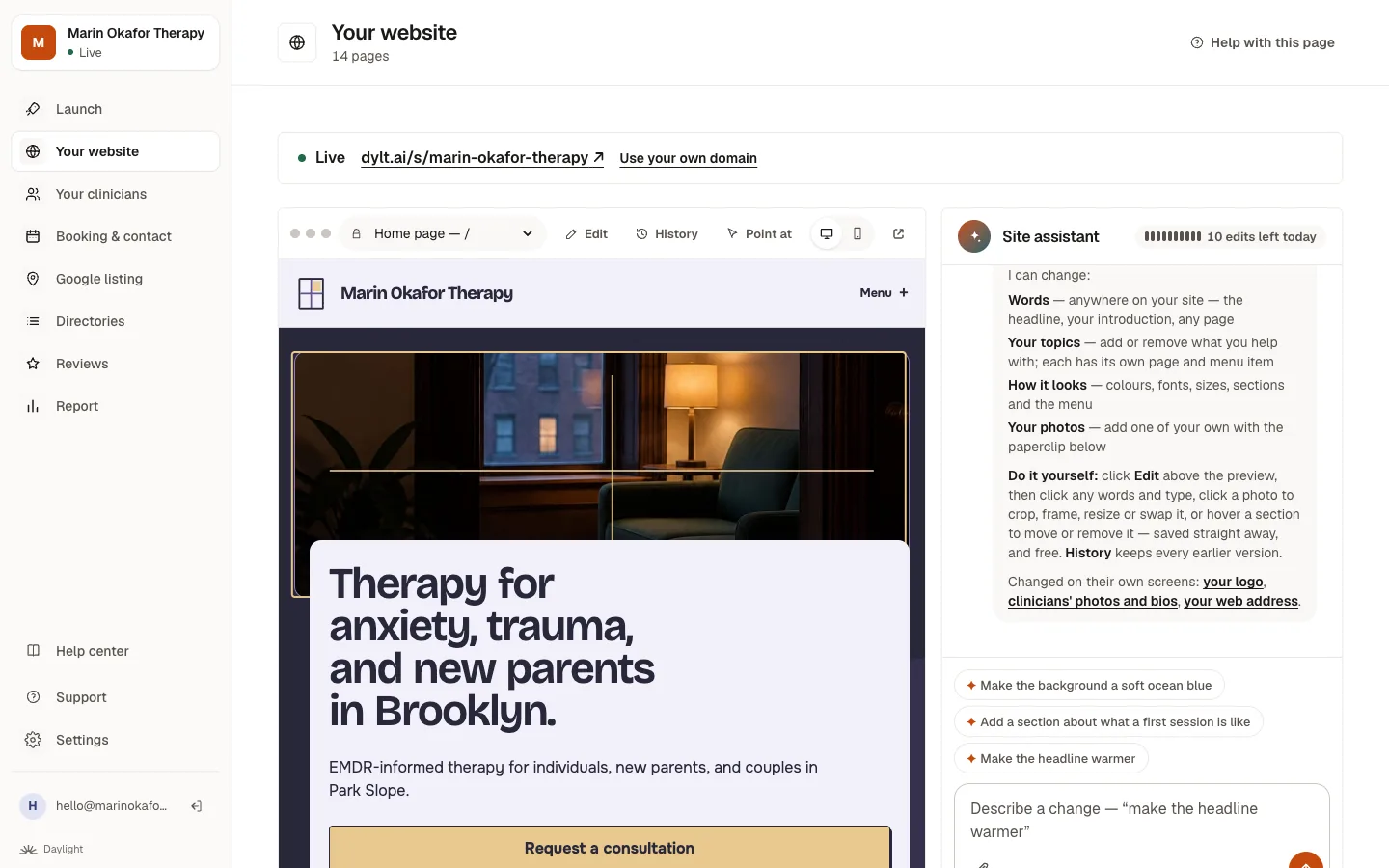
Open Your website and type what you'd like changed in the box, in your own words, like “make the headline warmer”. Or click Edit to change words, photos and sections yourself, free.
Ask for a change
- Click Your website in the menu.
- In the box that says What would you like changed?, describe the change in plain words. For example: “Say we have a waiting list” or “Add grief counseling to what I help with”.
- Press send and wait a few seconds. You'll see what changed, and the site updates on every page that needs it.
Change it yourself
Every change is saved straight away, is free, and can be put back with Undo or from History.
- Click Edit above your site.
- Words: click them and type. Press Enter to save, or Esc to cancel.
- Photos: click one. Click the part that must stay in view (usually a face), pick a frame (circle, rounded, square corners or tall) and a size, or show another of your photos or upload a new one.
- Sections: move the pointer over a section on your home or About page and use Up, Down or Remove.
Point at the part you mean
Not sure how to describe it? Click Point at, then click the part of the page you mean, and type what you'd like.
Tips for the best results
- Ask for one change at a time.
- Use your own words. You don't need any technical terms.
- If something isn't right, click Undo under the change, or use History.
Good to know: You have 25 changes a day in your first week, then 10 a day. Only changes that are actually made count, and anything you change yourself with Edit is always free.
Common questions
Can I break my website?
No. Every change is saved as its own step, and you can put any earlier version back with one click from History.
Do changes go live straight away?
If your site is already live, yes. Before that, you're changing your preview, which only you can see.
The assistant said it can't do something. What now?
Some things live in other places, like your clinicians or your fees, and it will tell you where. For anything else, use Support and we'll help.
Related questions
Still stuck? Ask a person.
Tell us what you're trying to do. A real person reads every message and replies within a few hours.