How do I add my fee, insurance and booking link?
Updated October 15, 2026
The short answer
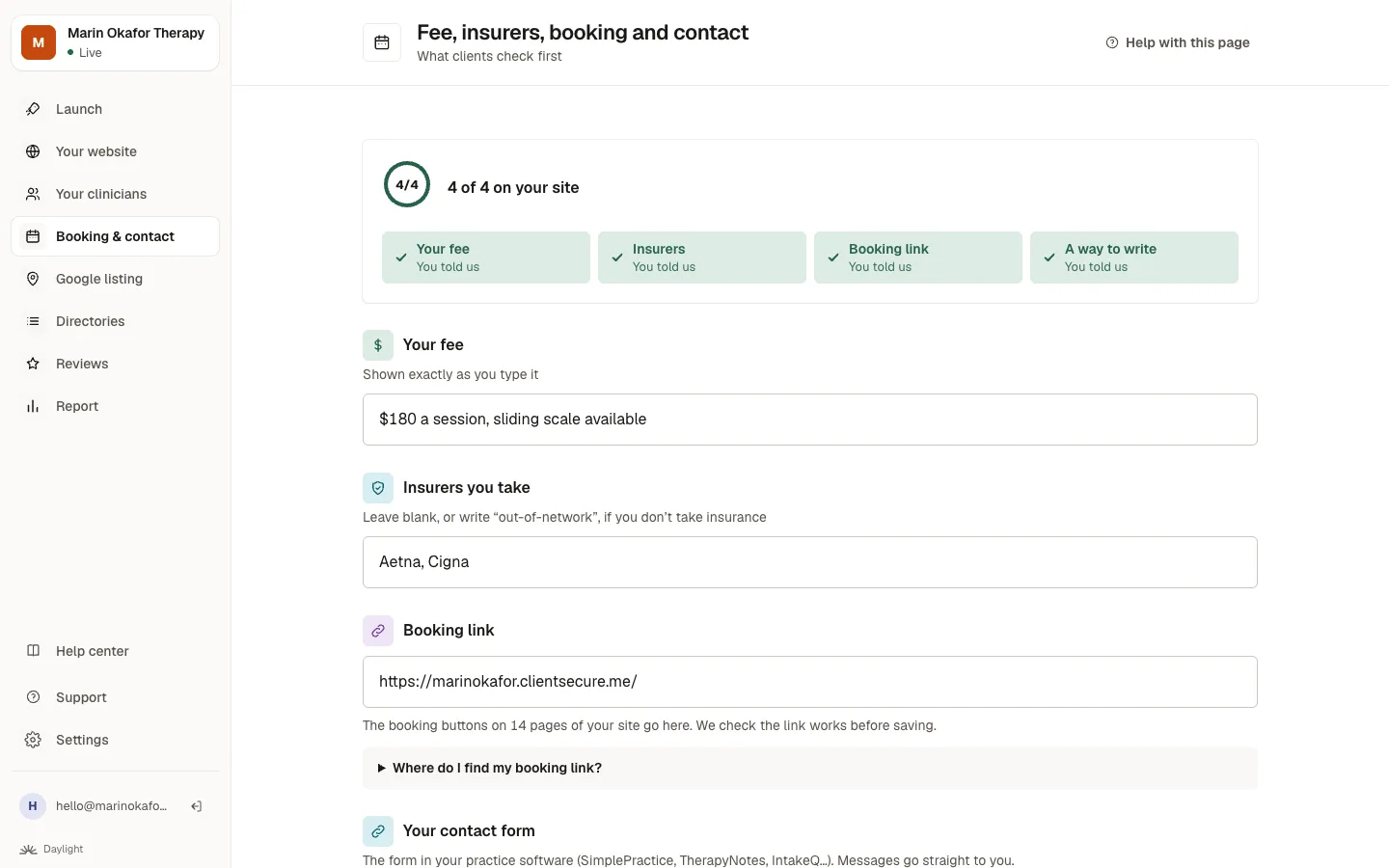
Open Booking & contact in the menu. Type your fee, the insurers you take and your booking link, then save. Your site updates everywhere they appear.
Step by step
- Open Booking & contact in the menu.
- Your fee: type it the way you'd say it, like “$180 a session, sliding scale available”. It appears exactly as you type it.
- Insurers you take: list them. If you don't take insurance, leave it blank or write “out-of-network”.
- Booking link: paste the link to your scheduling page (SimplePractice, TherapyNotes, Jane, IntakeQ, Calendly and so on). Not sure where it is? Click Where do I find my booking link? under the box for your software's steps.
- Click Save. We open your booking link first to check it works, and tell you if it doesn't.
What we found on your website
When we built your site we looked for a booking link, a contact form and an email address on your current website. Anything we found is already filled in, with a note saying which page it came from. Change it or clear it if it's not the one you want clients to use.
Typed your email into the booking box by mistake? We move it to the email box for you, so your site's email buttons use it.
Good to know about booking links
- Client portals count. A link to your practice's client portal (for example a clientsecure.me or therapyportal address) works as a booking link.
- Change it once, it changes everywhere. Every booking button on your site follows your new link, including any that still pointed at your old website.
- A different fee for one service? Ask in Your website, for example: “On the Evaluations page only, the fee is $400 and insurance doesn't cover it.” That page shows its own fee, and every other page keeps your usual one.
- No booking link, form or email yet? Your monthly check shows it under Still to do until clients have a way to reach you besides the phone.
Changing the booking button's words
Your booking buttons say Book an appointment or Book a consultation. To change the words, ask in Your website, for example: “Change all the booking buttons to say Book a free call”.
Without a booking link, the buttons say Get in touch and take visitors to your contact page. There, the button opens your contact form if you have one, or the visitor's own email addressed to you. With neither, your phone number is the way in.
In Australia
This page is called Fee, rebates, booking and contact, and asks about Medicare rebates and health funds instead of insurers.
Related questions
Still stuck? Ask a person.
Tell us what you're trying to do. A real person reads every message and replies within a few hours.