How do I add or update clinicians?
Updated October 12, 2026
The short answer
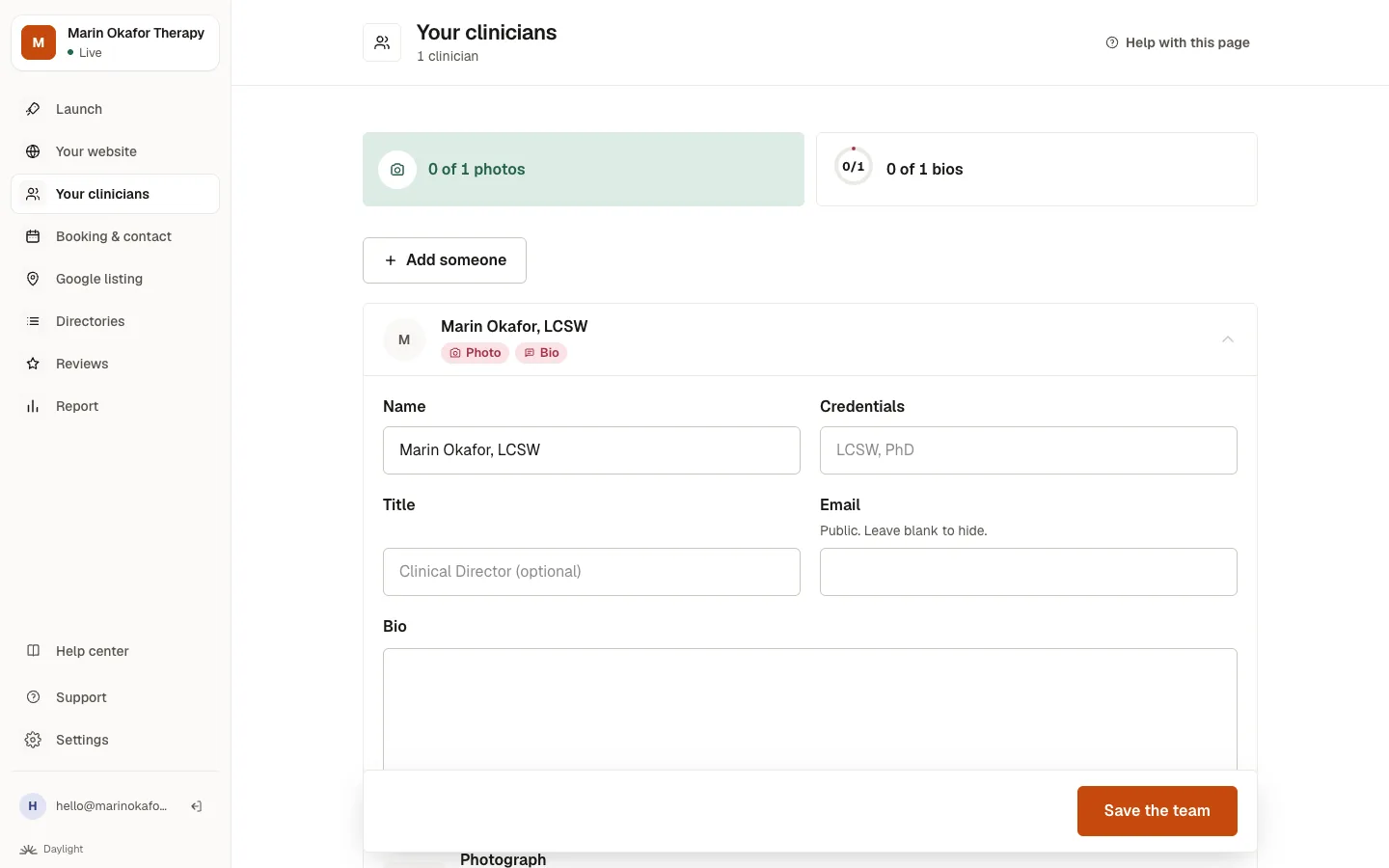
Open Your clinicians, click a person to change their name, credentials, photo or bio, or click Add someone. Then click Save the team. Each clinician with a bio gets their own page.
Step by step
- Click Your clinicians in the menu.
- Click a person to open their details, or click Add someone.
- Fill in their name, credentials (like LCSW), title, photo and bio. About 25 words is enough for their own page.
- Click Save the team. Your site rebuilds in a moment.
Good to know
- The email box is public. Leave it blank to keep it off your site.
- Removing someone takes their page down too.
- If the same person appears twice, remove the extra one and keep the one with the bio and photo you want.
Related questions
Still stuck? Ask a person.
Tell us what you're trying to do. A real person reads every message and replies within a few hours.